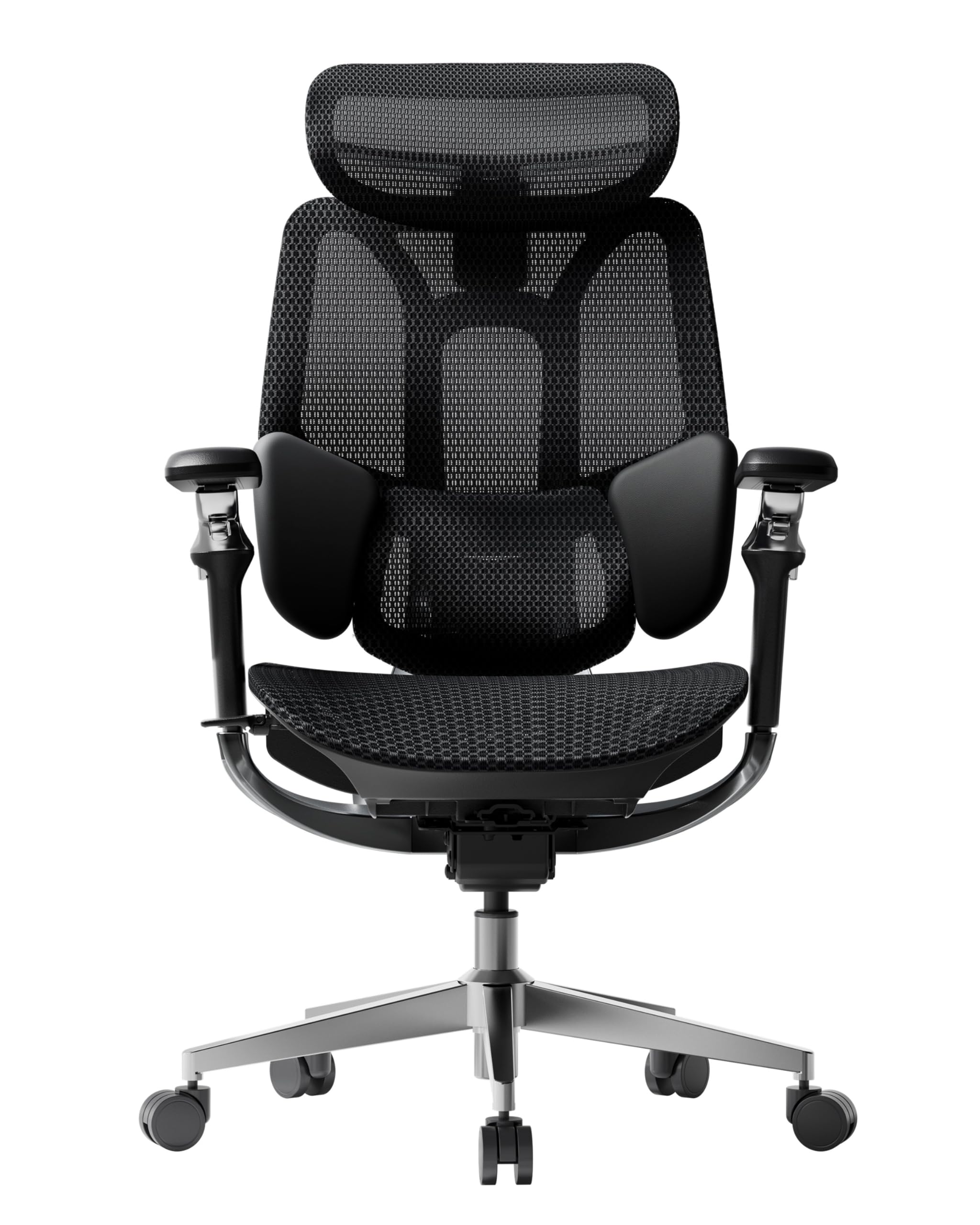
This review hbada e3 pro guide looks at a mesh office chair built around adjustable support, from pivoting lumbar wings to a multi-axis headrest and folding armrests.
Its extensive fit options may suit people who change posture throughout the workday, provided the chair’s dimensions and support style match their body.
Hbada E3 Pro Review Summary
The quick verdict
1,000+ ratings
Read Amazon ReviewsHbada E3 Pro
A mesh office chair for buyers who want adaptable lumbar, head, and arm support, with a broad recline range and multiple fit adjustments.
- Three-zone floating lumbar support has pivoting lateral wings with a listed 40°–80° range and 60 mm of vertical adjustment.
- The dual-axis headrest adjusts 70 mm in depth, 40 mm in height, and rotates up to 70°.
- The chair reclines to four listed positions: 105°, 115°, 130°, and 140°; the tilt mechanism is described as gravity-sensing.
- Mesh covers the chair’s support surfaces, while the armrests rotate in two 360° axes and fold by 39°.

Pros
- Multiple lumbar adjustments let buyers tune support height and the angle of its side wings.
- The headrest and armrests have broad positioning options for different work and reclined postures.
Consider before buying
- The extensive adjustment system may take time to set up; buyers should expect to experiment with settings rather than assume one position will suit every task.
- A 300-pound maximum recommendation may rule it out for people who need a higher capacity.
Read the full review summary
The Hbada E3 Pro’s appeal is its combination of posture-focused adjustments. Its lumbar support moves vertically and uses lateral wings that pivot around the back, while the headrest can be changed for height, depth, and angle.
A backrest adjustment and sliding seat add ways to tune the fit, and the mesh construction may appeal to people who prefer an airy chair surface.
The chair offers recline positions from 105° to 140° and armrests that rotate and fold, giving it a wide range of work and break configurations.
The fit range is listed for users from 5'1" to 6'5", with a 300-pound maximum weight recommendation. Those ranges are useful starting points, but individual comfort still depends on body proportions, desk height, and preferred seat feel.
The buying factors
Hbada E3 Pro Scorecard
Editorial scores reflect listed features and buyer fit; they are not laboratory measurements or customer ratings.
Lumbar adjustability
Vertical adjustment and pivoting side wings provide more ways to tailor lower-back contact than a fixed support.
Headrest flexibility
Height, depth, and rotation adjustments offer several ways to position neck support.
Armrest positioning
Dual rotation and folding create a broad range of elbow and desk-clearance positions.
Recline range
Four described angles extend from an upright work posture to a 140° recline.
Fit tuning
Backrest height, lumbar height, and seat depth adjust, alongside the stated broad user-height range.
Material and build details
Mesh, a metal frame, a Class 4 gas cylinder, and BIFMA compliance are useful stated details, though they do not establish individual comfort or lifespan.
Key Features and Specifications of Hbada E3 Pro
- Three-zone floating lumbar support has pivoting lateral wings with a listed 40°–80° range and 60 mm of vertical adjustment.
- The dual-axis headrest adjusts 70 mm in depth, 40 mm in height, and rotates up to 70°.
- The chair reclines to four listed positions: 105°, 115°, 130°, and 140°; the tilt mechanism is described as gravity-sensing.
- Mesh covers the chair’s support surfaces, while the armrests rotate in two 360° axes and fold by 39°.
- Fit adjustments include 80 mm of backrest travel, 60 mm of lumbar travel, and 50 mm of seat-depth adjustment.
- The stated user-height range is 5'1"–6'5", and the maximum weight recommendation is 300 pounds. The description also lists an SGS-certified Class 4 gas cylinder and BIFMA compliance.
Pros and Cons of Hbada E3 Pro
Pros
- Multiple lumbar adjustments let buyers tune support height and the angle of its side wings.
- The headrest and armrests have broad positioning options for different work and reclined postures.
- The 140° maximum recline gives more room to change position during breaks than a chair with a narrower stated range.
- Backrest, lumbar, and seat-depth adjustments provide several ways to adapt the fit.
Consider before buying
- The extensive adjustment system may take time to set up; buyers should expect to experiment with settings rather than assume one position will suit every task.
- A 300-pound maximum recommendation may rule it out for people who need a higher capacity.
- Its mesh support style may not suit buyers who prefer a cushioned upholstered seat; check the seat construction and feel if softness is a priority.
Who Should Buy Hbada E3 Pro?
Good fit
Consider the Hbada E3 Pro if you want a mesh chair with several ways to tune contact at the lower back, neck, and elbows.
The combination of adjustable lumbar wings, headrest positioning, sliding seat depth, and backrest travel is especially relevant if a fixed chair fit tends to leave you repositioning throughout the day.
It may also fit a routine that alternates between focused desk work and reclined breaks. The 105° to 140° range offers several described positions, and the folding, rotating armrests can be adjusted around different arm postures.
Before buying, compare the stated height and weight ranges with your needs and check that your desk setup can accommodate the chair’s full range of motion.
Who should skip it
Look elsewhere if you need a chair rated for more than 300 pounds, or if the listed user-height range does not cover you.
A different seating style may be a better fit if you know you prefer a thick upholstered cushion over mesh. If possible, confirm the seat’s feel and dimensions against your comfort preferences before committing.
How the Hbada E3 Pro’s adjustments shape daily use
Lumbar support that can be positioned
The lumbar system combines height adjustment with lateral wings that pivot around the back.
That arrangement gives buyers more control over where support meets the lower back and how broadly it wraps; it does not guarantee a comfortable fit for every spine or sitting posture.
When setting it up, check whether the support meets your lower back while you sit in your usual working position.
A headrest with several positioning axes
The headrest’s height, depth, and rotation adjustments can help align neck support with different seated or reclined positions.
A useful fit check is whether it supports the head without pushing it forward during desk work, then remains appropriately placed when leaning back.
Recline and armrest choices for changing posture
The four listed recline positions offer distinct angles for upright work and more relaxed pauses.
Rotating and folding armrests add flexibility for elbows and desk clearance, although buyers should check whether the armrests remain comfortable and appropriately positioned as the back reclines.
Fit range and construction considerations
The listed 5'1"–6'5" range and adjustments to the backrest and seat depth make this chair adaptable on paper, but height alone cannot predict seat depth or back support fit.
Mesh, a metal frame, and the specified gas cylinder and standards provide construction details to consider; buyers should still compare the chair’s dimensions and support feel with their own workspace and preferences.
Alternatives to Hbada E3 Pro
Home Office Desk Chairs alternative
1,000+ ratings
Read Amazon ReviewsSIHOO Doro C300 Pro
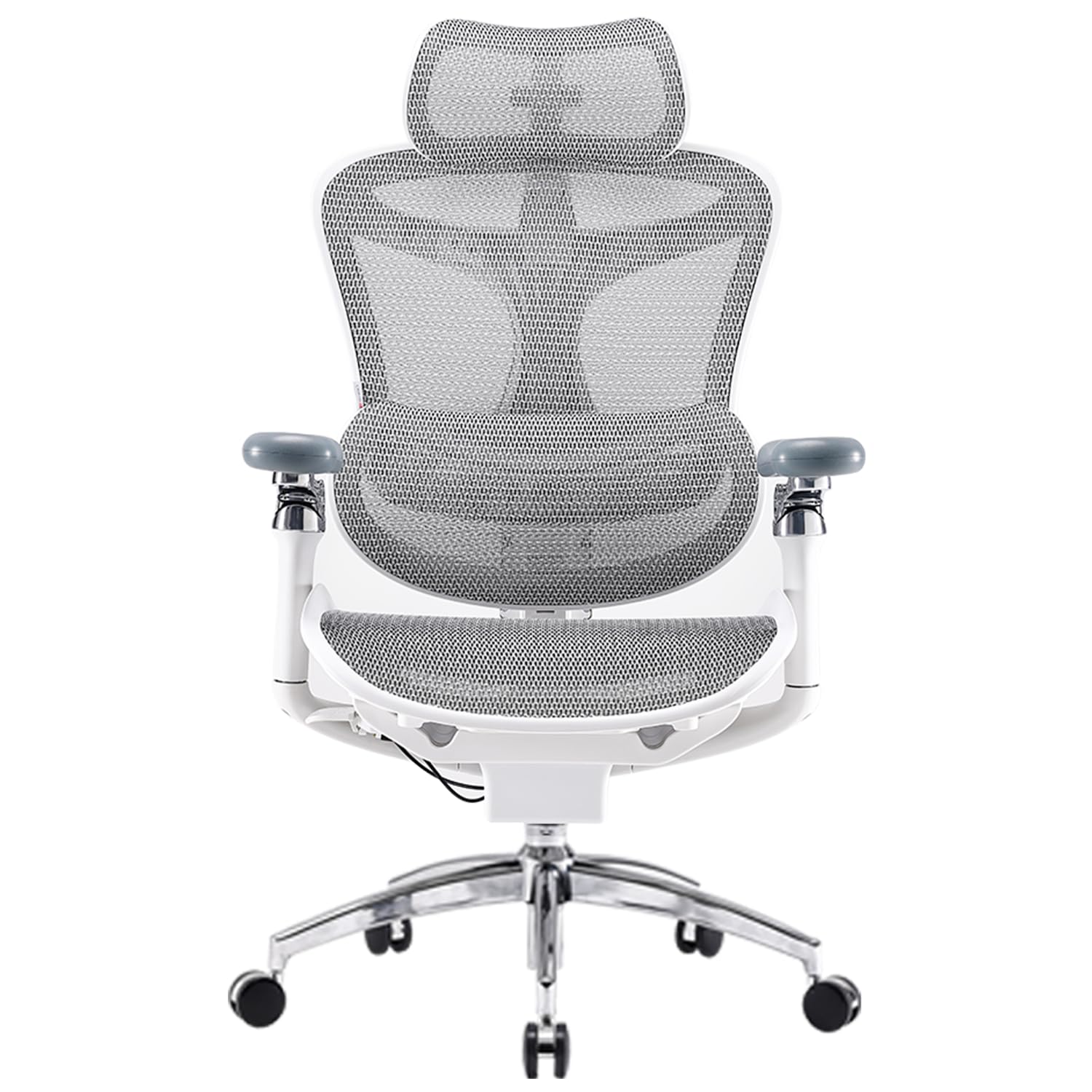
Consider the SIHOO if its higher stated weight recommendation and adjustable backrest are priorities. The Hbada may be a better match if you want the listed 140° recline and its specific pivoting lumbar-wing design.
- The SIHOO Doro C300 Pro description includes adaptive lumbar support, a seat-depth adjustment, adjustable backrest, 6D armrests, a 3D headrest, and recline positions up to 135°.
- It lists a 350-pound maximum weight recommendation.
- The Hbada E3 Pro specifies three-zone lumbar wings, a headrest with depth and height adjustment, folding rotating armrests, and recline up to 140°.
Home Office Desk Chairs alternative
17,000+ ratings
Read Amazon ReviewsSIHOO B100 Pro with Footrest
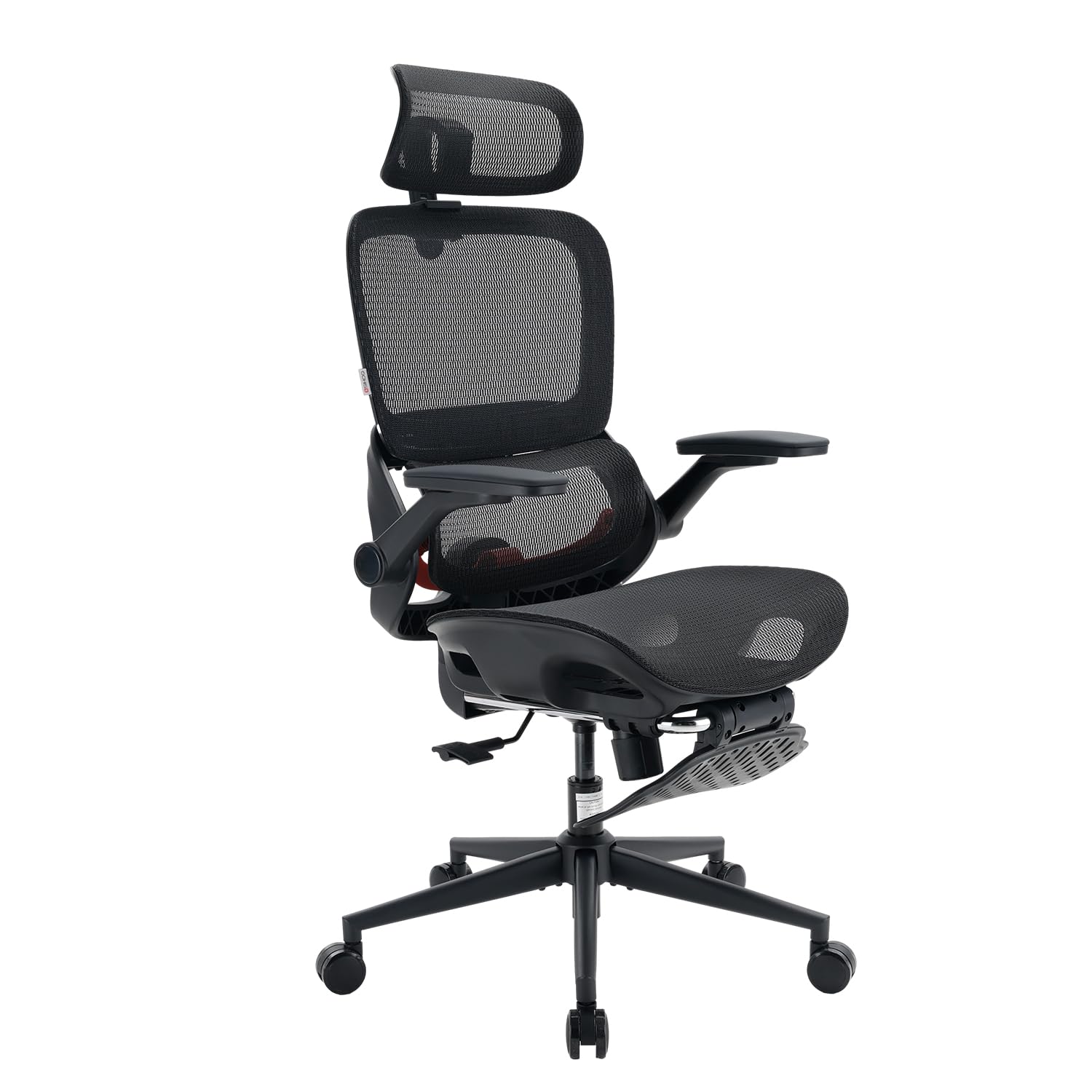
Choose the SIHOO option if stretching out with an integrated footrest is central to your use.
The Hbada is the closer fit if you prefer more described recline positions and want the specific headrest and lumbar adjustments it offers.
- The SIHOO B100 Pro adds a retractable footrest and lists three recline angles up to 135°, adaptive lumbar support, 4D flip-up armrests, and a wide headrest.
- The Hbada E3 Pro focuses on a wide range of lumbar, headrest, and armrest adjustments, with recline positions reaching 140°.
Is Hbada E3 Pro Worth It?
The Hbada E3 Pro is worth considering for buyers who want a highly adjustable mesh office chair and expect to use its lumbar, headrest, armrest, and recline settings.
Those features offer meaningful ways to tailor the chair to changing desk postures.
Check the fit range, 300-pound limit, seat feel, and desk clearance before choosing it.
Its many adjustments are most useful when they match your body and routine; buyers seeking a softer cushioned seat or a higher capacity should compare other designs.
Your review at a glance
1,000+ ratings
Read Amazon ReviewsHbada E3 Pro
A mesh office chair for buyers who want adaptable lumbar, head, and arm support, with a broad recline range and multiple fit adjustments.
- Three-zone floating lumbar support has pivoting lateral wings with a listed 40°–80° range and 60 mm of vertical adjustment.
- The dual-axis headrest adjusts 70 mm in depth, 40 mm in height, and rotates up to 70°.
- The chair reclines to four listed positions: 105°, 115°, 130°, and 140°; the tilt mechanism is described as gravity-sensing.
- Mesh covers the chair’s support surfaces, while the armrests rotate in two 360° axes and fold by 39°.