The Phomemo M110 is a compact Bluetooth thermal label maker for printing small identification and organization labels from a phone.
This review phomemo m110 looks at its flexible label widths, app tools, and the limits that matter when choosing a printer for home or small-business use.
Phomemo M110 Review Summary
The quick verdict
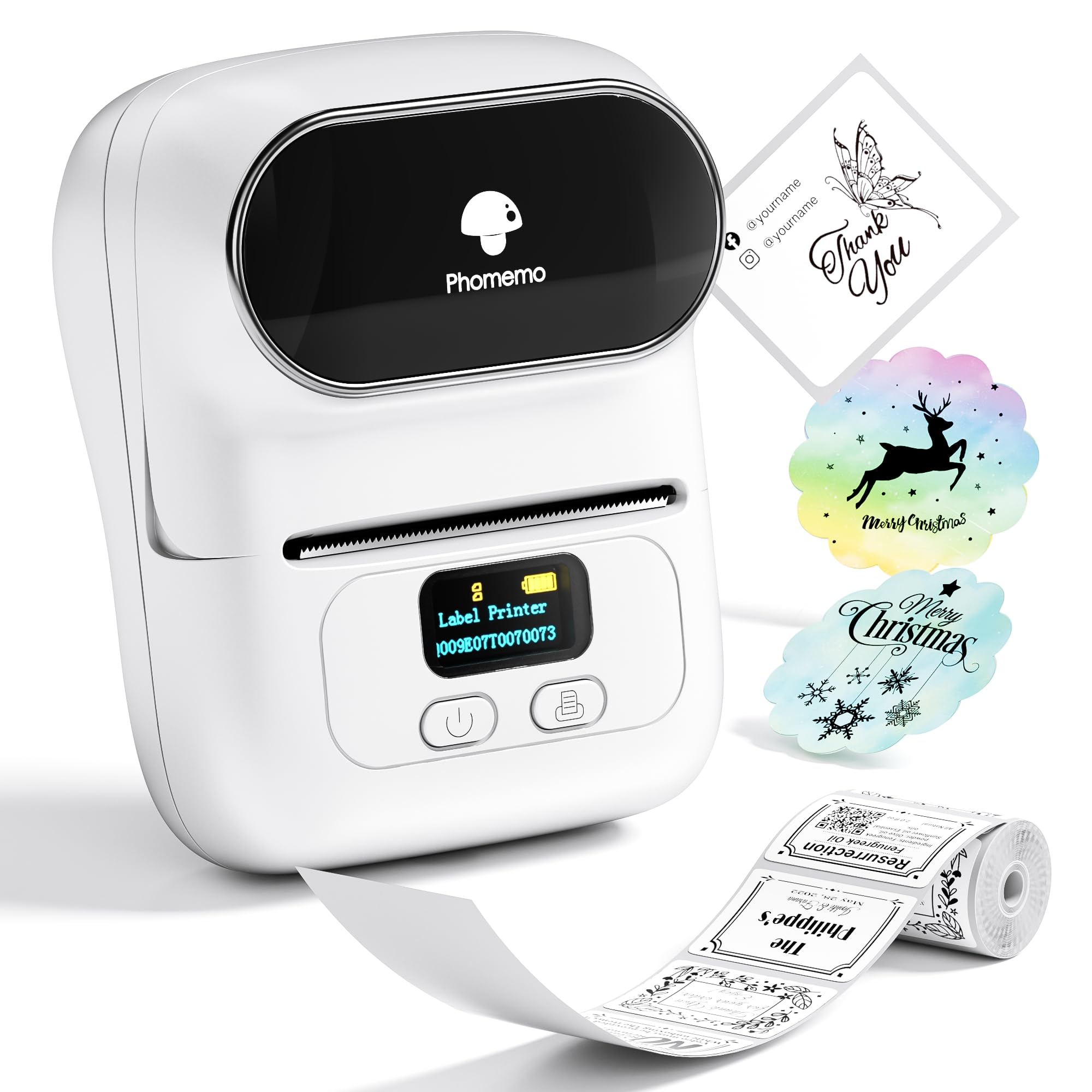
6,000+ ratings
Read Amazon ReviewsPhomemo M110
A portable thermal label maker for home organizers and small businesses printing narrow labels from a phone.
- Prints monochrome thermal labels without ink or ribbon.
- Supports label widths from 20 mm to 50 mm.
- Connects over Bluetooth 4.0, with a stated range of up to 33 feet.
- The companion app includes more than 300 templates and lets users create custom layouts.

Pros
- A compact, portable format suits quick labeling around the home, office, or small business.
- The 20–50 mm width range gives buyers room to choose among several narrow label sizes.
Consider before buying
- Its narrow label range is not suited to shipping labels.
- Printing is monochrome, so color output is outside its intended design.
Read the full review summary
The M110 is designed for labels between 20 and 50 mm wide, covering common jobs such as cable, clothing, jewelry, folder, and retail labels.
Its thermal printing avoids ink and ribbon, while the companion app offers templates, custom layouts, OCR text recognition, and Excel batch printing.
It is a good fit when portability and repeatable small-label tasks matter more than wide-format output.
The main decision point is label size: the M110 is explicitly not intended for shipping labels, so buyers should match their label dimensions and workflow to its narrow format before choosing it.
The buying factors
Phomemo M110 Scorecard
Editorial scores reflect listed features and buyer fit; they are not laboratory measurements or customer ratings.
Label-size flexibility
A 20–50 mm width range supports several compact labeling tasks, though it does not cover shipping-label formats.
Mobile workflow
Bluetooth connection and one-click printing are geared toward quick phone-based jobs.
Template and editing tools
The app includes more than 300 templates, custom layout tools, OCR, and Excel batch printing.
Consumable simplicity
Direct thermal printing needs no ink or ribbon, keeping the basic printing setup simple.
Small-business usefulness
Barcode, retail, clothing, jewelry, and batch-label workflows are within its intended scope.
Shipping-label suitability
The M110 is specifically described as unsuitable for shipping labels.
Key Features and Specifications of Phomemo M110
- Prints monochrome thermal labels without ink or ribbon.
- Supports label widths from 20 mm to 50 mm.
- Connects over Bluetooth 4.0, with a stated range of up to 33 feet.
- The companion app includes more than 300 templates and lets users create custom layouts.
- OCR can recognize text in images and convert it into editable text.
- Excel batch printing can help prepare repeated labels for business tasks.
Pros and Cons of Phomemo M110
Pros
- A compact, portable format suits quick labeling around the home, office, or small business.
- The 20–50 mm width range gives buyers room to choose among several narrow label sizes.
- Inkless thermal output avoids ink and ribbon replacement.
- Template, OCR, and batch-printing tools support both one-off and repeated label jobs.
Consider before buying
- Its narrow label range is not suited to shipping labels.
- Printing is monochrome, so color output is outside its intended design.
- The workflow depends on the companion app and Bluetooth connection.
Who Should Buy Phomemo M110?
Good fit
Consider the M110 if you regularly print small labels for cables, clothing, jewelry, folders, food, or retail items and want to create them from a phone.
The app’s templates can speed up routine layouts, while custom editing helps when a standard design does not fit your needs.
It is also a sensible option for repeated small-business labeling. OCR may help turn text in an image into editable content, and Excel batch printing is useful when the same workflow involves many labels.
Check that your intended label width falls between 20 and 50 mm and that monochrome printing is acceptable.
Who should skip it
Choose another format if your main job is printing shipping labels or other wide labels; the M110 is not designed for shipping labels.
It is also a poor match if your workflow requires color printing or depends on printing outside the phone app.
What the Phomemo M110 Means for Everyday Labeling
A useful size range for compact labels
The 20–50 mm width range gives the M110 flexibility across several small labeling tasks, from cable identification to retail tags.
Before buying, compare the width of your usual label stock with that range and consider whether the label needs to carry only a short identifier or more detailed information.
An app built for more than basic text
More than 300 templates provide a starting point for common jobs, and the app also supports custom layouts. OCR and Excel batch printing add options for turning existing text into editable labels and preparing repeated print runs.
These tools are most useful when they match the buyer’s routine; occasional users may rely mainly on simple templates.
Thermal printing keeps the setup simple
Direct thermal printing means the M110 does not need ink or ribbon.
The output is black and white, so buyers should plan around monochrome labels and choose a label width that makes names, codes, or other short content easy to read.
Bluetooth makes it a mobile-first choice
Bluetooth 4.0 and a stated range of up to 33 feet support printing without positioning the printer beside a phone.
The product information emphasizes the app-based workflow, so buyers who need a phone-centered label routine should find the design straightforward to evaluate before purchase.
Alternatives to Phomemo M110
Desktop Label Printers alternative
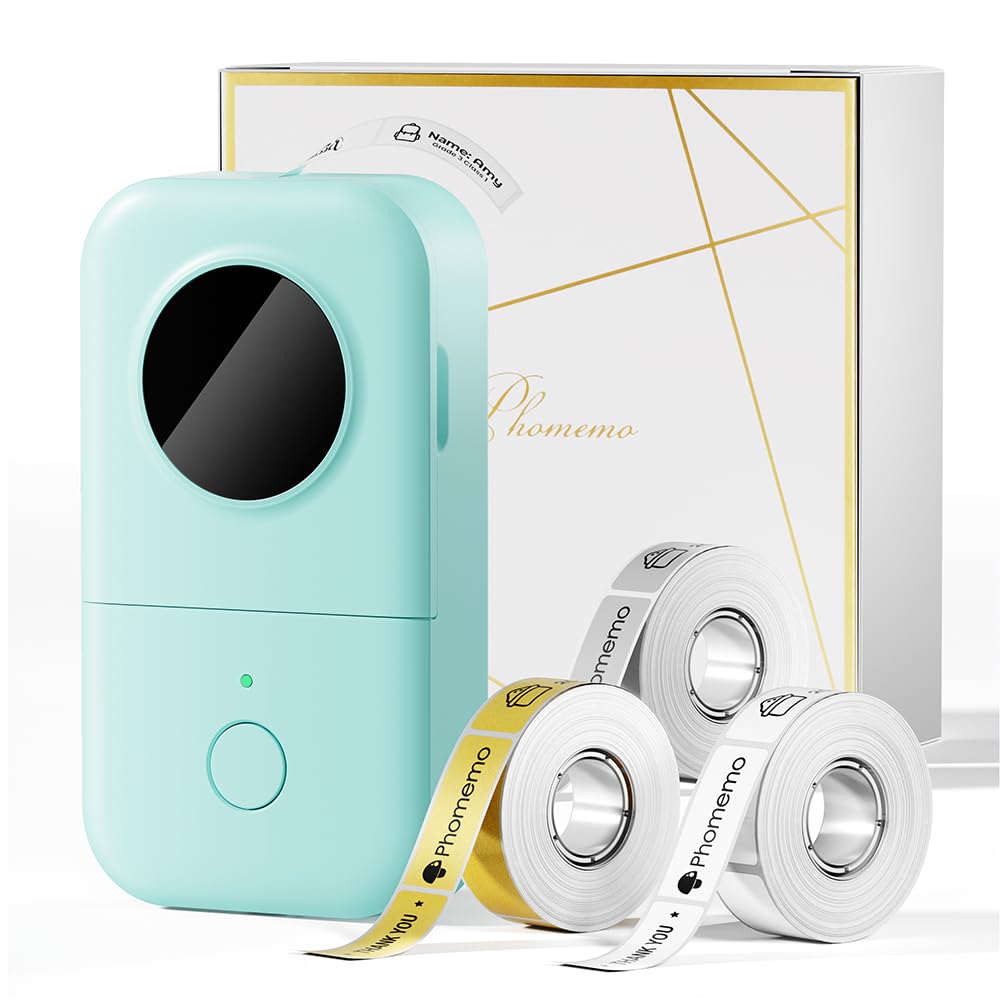
28,000+ ratings
Read Amazon ReviewsPhomemo D30 Label Maker
Choose the M110 if its 20–50 mm width range and batch-printing tools suit your work. Consider the D30 if continuous tape or its broader template-design options better fit your home and organization projects.
- The D30 supports continuous and fixed-length tapes, with template tools for symbols, borders, barcodes, QR codes, and other label elements.
- It prints monochrome text, and patterned tape is needed for color designs.
- The M110 supports 20–50 mm label widths and includes OCR and Excel batch-printing tools for small-label workflows.
Desktop Label Printers alternative
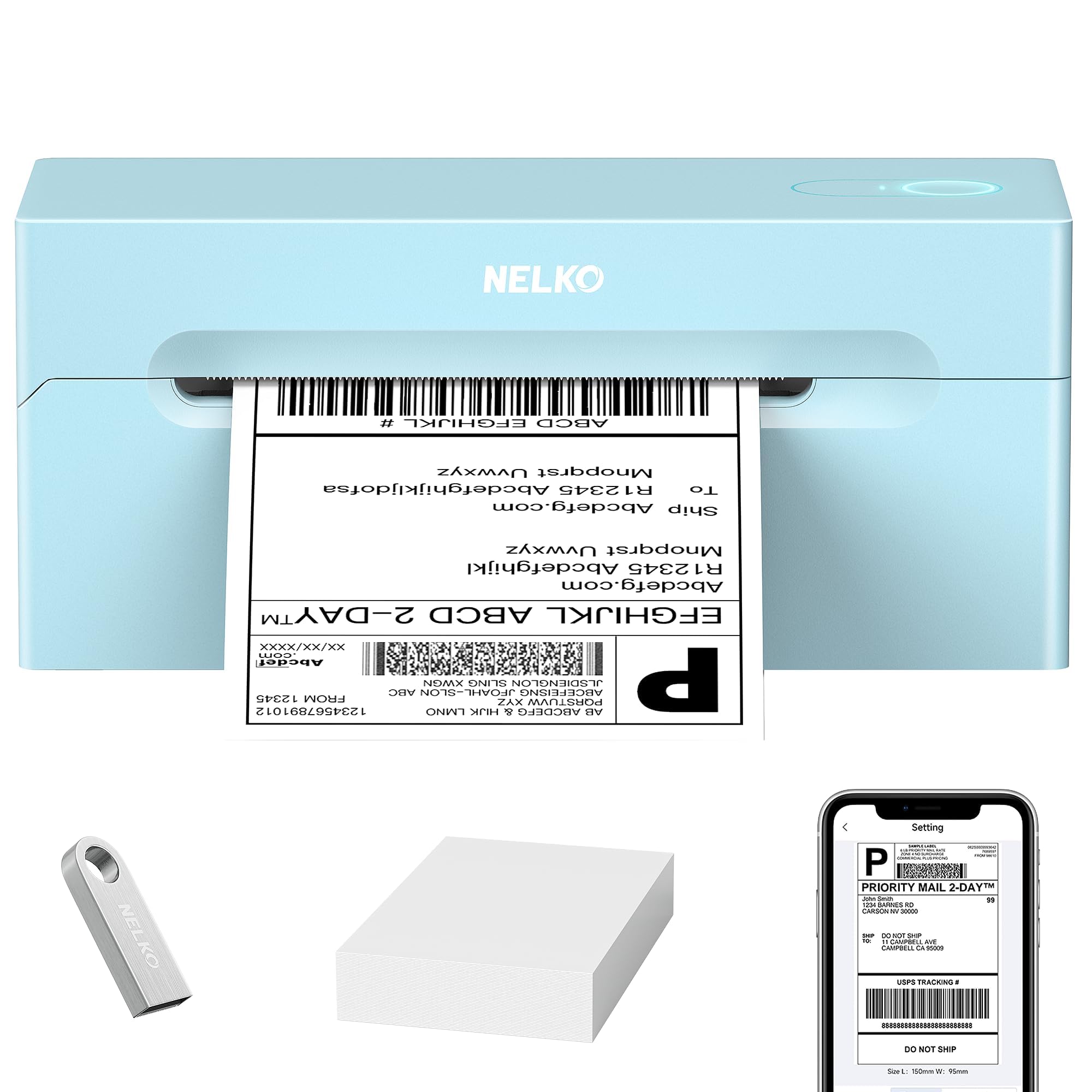
6,000+ ratings
Read Amazon ReviewsNelko PL70E Bluetooth Shipping Label Printer
Choose the M110 for compact identification and organization labels. Consider the PL70E if you need wider shipping labels and a desktop workflow that can connect to a computer.
- The Nelko PL70E supports label widths from 40 to 104 mm and is designed for shipping and packaging, including 4 × 6 labels.
- It offers Bluetooth and USB connections, with computer support varying by operating system.
- The M110 is intended for labels 20–50 mm wide and is not suited to shipping-label jobs.
Is Phomemo M110 Worth It?
The Phomemo M110 is worth considering when your routine centers on narrow monochrome labels and convenient phone-based printing.
Its flexible width range, app templates, OCR, and Excel batch printing give it useful options for home organization and small-business tasks.
Confirm that your label width fits its 20–50 mm range and that you do not need shipping-label or color output. If those constraints match your needs, the M110 is a practical compact label maker to shortlist.
Your review at a glance
6,000+ ratings
Read Amazon ReviewsPhomemo M110
A portable thermal label maker for home organizers and small businesses printing narrow labels from a phone.
- Prints monochrome thermal labels without ink or ribbon.
- Supports label widths from 20 mm to 50 mm.
- Connects over Bluetooth 4.0, with a stated range of up to 33 feet.
- The companion app includes more than 300 templates and lets users create custom layouts.